|
Selecting and Customizing
Units
Currently selected count units are displayed in
the bottom right corner of AnyMini application:
You can change currently selected text count units
by clicking
Units
button.
Clicking
Units
button activates
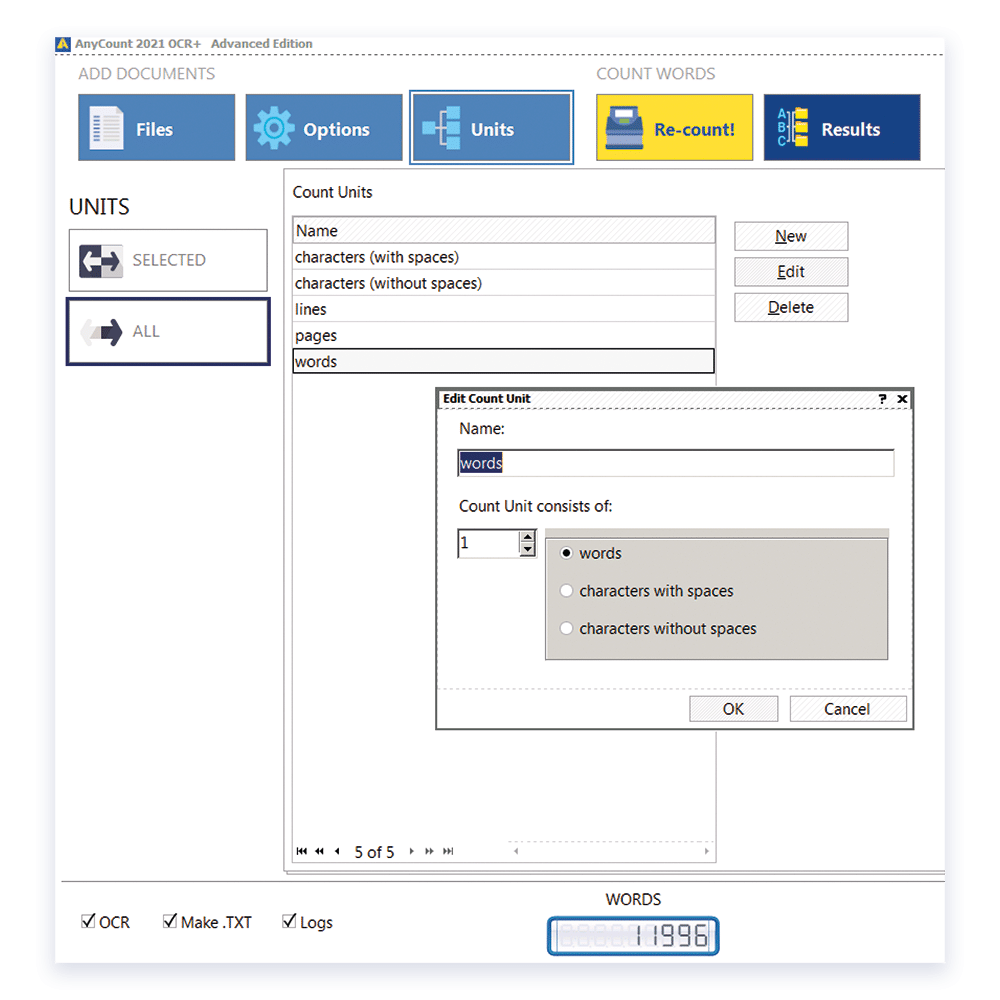
Select and customize volume units
window:
To change current text count units, select necessary
count unit from Current Count Units list.
All count units in
AnyCount
Text Count Engine
are derived from 3 basic atomic values:
· words
· characters with spaces
· characters without spaces.
You can edit existing count units (for instance, change number
of characters in a line or in a page) or create your own countunits.
If you click
Customize
button,
Customize Count Units
dialog box opens, where you can click on various count units and
customize them. While in
AnyCount Text
Count Software
you have choice of all 3 atomic values
(like you see on the picture below)
each of 3
AnyMini
text count programs is limited to only one atomic count unit.
AnyMini W
uses words and their
derivatives (e.g. 1000 words) as text count units:
|